Best Free AI Image Generator: Complete Guide for Beginners
Introduction
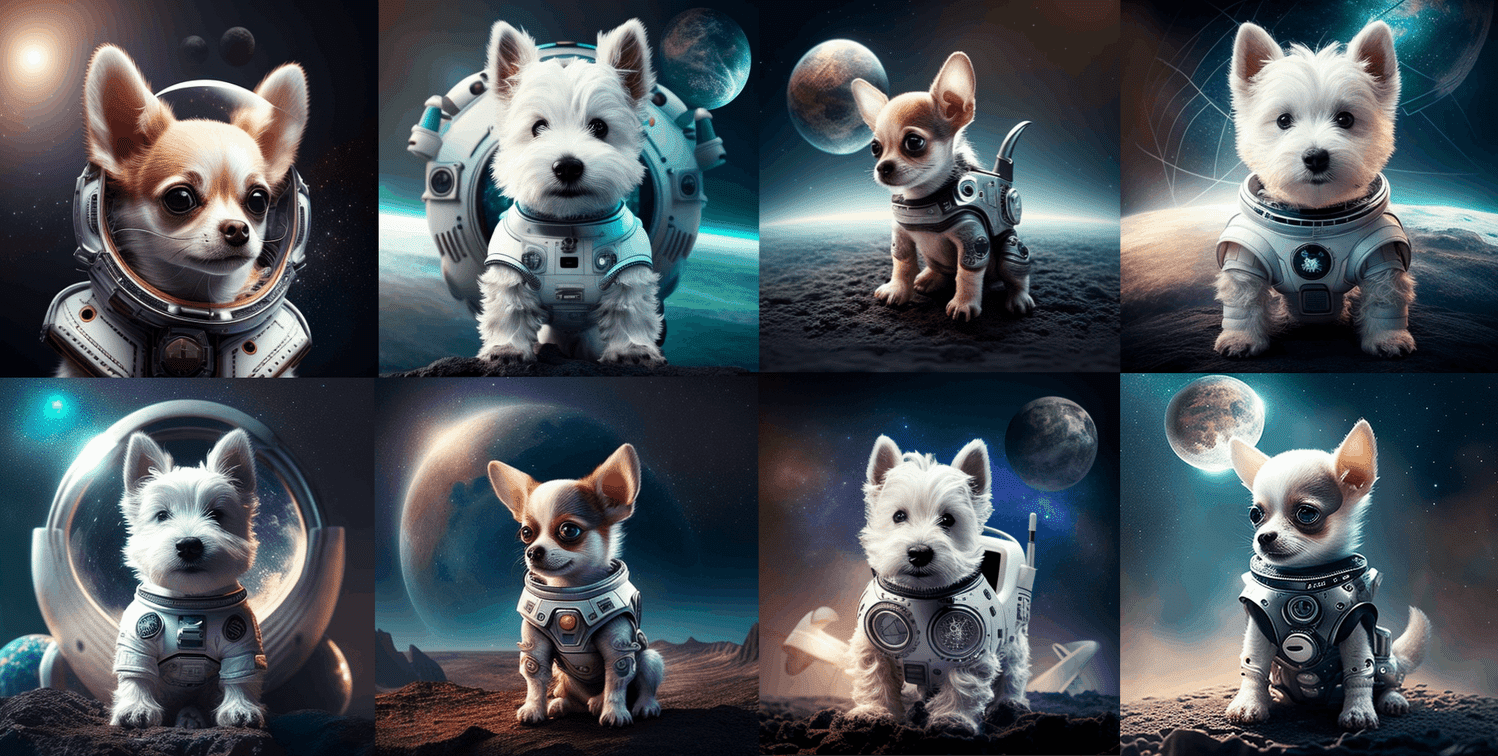
Creating beautiful pictures no longer requires expensive software or professional drawing skills. Artificial intelligence can turn simple words into detailed images within seconds. You can create digital art, product concepts, blog illustrations, and social media graphics. The best free ai image generator helps beginners explore creative ideas without paying for expensive design tools.
Many platforms offer free credits, daily generations, or limited features. However, each tool works differently. Some create realistic photographs, while others specialize in cartoons, paintings, and graphic designs. Certain platforms also let you edit existing pictures or change specific details. This guide explores useful tools, compares their features, and explains how to create better images. You will also learn about unrestricted generation, commercial usage, and common mistakes. By the end, you can choose a suitable tool for your creative projects.
1. What Is an AI Image Generator?
An AI image generator is a digital tool that creates pictures from written instructions. These instructions are called prompts. For example, you could enter, “A wooden house beside a lake during sunset.” The software then creates an image based on your description.
The best free ai image generator makes this process easy for beginners. You do not need complicated design skills or expensive software. Simply describe your idea and review the results. Different generators use different models, so their image quality can vary. Some work directly through websites, while others require installation. Many provide free access with certain restrictions. Understanding these differences helps you select a suitable option for your needs.
2. Best Free AI Image Generator Tools to Try
Choosing a suitable generator depends on your goals and available free credits. The best free ai image generator for a beginner might not suit an experienced designer. Some tools create realistic pictures, while others focus on digital art, text, or complete graphic designs.
Here are six useful options to explore.
| Tool | Best use | Free access |
|---|---|---|
| Google Gemini | Image creation and editing | Available with limits |
| Microsoft Designer | Social media graphics | Limited free features |
| Adobe Firefly | Creative design | Limited free generations |
| Leonardo AI | Digital art | Free tokens may be available |
| Ideogram | Posters and text-based images | Limited free access |
| Stable Diffusion | Custom image generation | Free local options |
Free allowances and account requirements can change. Check each platform’s current terms before beginning a large project.
Google Gemini
Website: https://gemini.google.com/
Google Gemini helps users create images through everyday language. You can describe a scene, request a visual style, or ask for changes. It is useful for blog illustrations, creative concepts, and marketing ideas.
Microsoft Designer
Website: https://designer.microsoft.com/
Microsoft Designer supports AI-assisted graphic creation. It works well for invitations, promotional images, and social media posts. Some features require an account or have usage limits.
Adobe Firefly
Website: https://firefly.adobe.com/
Adobe Firefly offers image generation and editing features. It is worth exploring for creative projects and design workflows. Free access depends on available credits and current plan conditions.
Leonardo AI
Website: https://leonardo.ai/
Leonardo AI is popular for fantasy artwork, game assets, and character concepts. Its creative controls help users experiment with different visual styles. Check the current free allowance before generating many images.
Ideogram
Website: https://ideogram.ai/
Ideogram is useful for posters, thumbnails, and graphics containing words. Generated lettering can still contain errors. Always check spelling before publishing your designs.
Stable Diffusion
Website: https://stability.ai/
Stable Diffusion offers models for flexible image generation. Users can access compatible platforms or install suitable software locally. Local generation provides more control but requires technical knowledge and compatible hardware.
3. What Does Best Free AI Image Generator With No Restrictions Mean?
The phrase best free ai image generator with no restrictions can describe different needs. Some users want unlimited images, while others want more freedom to experiment with styles. People may also want image editing without daily credit limits.
Most online platforms have usage limits, account requirements, or content rules. Some restrict image sizes and advanced features. Locally installed software can offer greater freedom because you do not need to purchase credits for every generation.
However, local generation still requires computer resources. Your device needs sufficient memory, storage, and processing power. Model licenses and applicable laws also matter. Unlimited generation does not mean every possible use is permitted. Always respect privacy, consent, copyright, and relevant licensing requirements.
4. Can You Generate Unlimited AI Images for Free?
Yes, unlimited local image generation can be possible with suitable software and compatible models. Stable Diffusion and ComfyUI provide flexible workflows for users who want greater control. Once installed, you can generate images without buying credits from an online service.
However, installation may require large downloads and technical adjustments. A computer with a suitable graphics card can improve performance. Older devices might generate images slowly or struggle with larger models.
Online tools are usually easier for beginners. Open a website, enter a prompt, and review the result. However, free accounts may have generation limits or waiting queues. Choose local software for greater control or an online platform for convenience. Your available hardware and experience should guide your decision.
5. How to Choose the Right AI Image Generator
Before choosing a platform, decide what you want to create. Bloggers often need article illustrations, while online sellers may need product concepts. Artists might prefer advanced settings and different model options.
The best free ai image generator should match your actual needs. Consider these important factors:
- Image quality: Are the pictures clear and detailed?
- Free limits: How many images can you generate?
- Ease of use: Can beginners understand the interface?
- Editing options: Can you change backgrounds or fix details?
- Image dimensions: Are the results suitable for your website?
- Privacy: How does the platform handle uploaded pictures?
- Usage rights: Does the license support your project?
Try two or three tools with the same prompt. Compare their results and features. This simple test can help you make a better decision.
6. How to Write Better AI Image Prompts
A good prompt helps the generator understand your idea. Describe the subject, background, lighting, mood, colors, and artistic style. Clear instructions often produce more useful results than vague descriptions.
For example, avoid writing only, “A beautiful garden.” Instead, describe colorful flowers, a stone pathway, soft morning sunlight, and realistic photography. This gives the AI more details to follow.
Use this simple formula:
Subject + setting + style + lighting + composition + details
For a blog image, try this example:
“A cozy home office with a wooden desk, green plants, natural window light, realistic photography, and a wide landscape composition.”
Generate several variations and review them carefully. Change one or two details at a time. This helps you understand which instructions improve your images.
7. Best Free AI Image Generator for Bloggers
Bloggers need featured images, article illustrations, and social media graphics. AI tools can create visuals that match different topics. A travel blogger might generate a mountain landscape, while a technology writer could create a futuristic computer workspace.
The best free ai image generator for blogging should provide suitable dimensions and consistent image quality. Before uploading a picture, check for distorted objects, strange backgrounds, and visible mistakes.
Add descriptive alternative text for accessibility. Use relevant image filenames and compress pictures when necessary. Keep a consistent visual style across related articles. Also, review usage terms before publishing generated images on a monetized website.
8. Best Free AI Image Generator for Social Media
Social media graphics need to attract attention quickly. Clear subjects, balanced colors, and simple layouts help posts communicate their message. AI tools can create ideas for Pinterest pins, Instagram graphics, YouTube thumbnails, and advertisements.
The best free ai image generator for social media should support your preferred image dimensions. You can generate a background first and add headings using a design editor. This approach often works better than requesting perfect text directly from an image generator.
Check spelling and readability before publishing. Leave enough space around important words. Review the platform’s requirements for image dimensions and advertising content. A few careful edits can make a basic image look more professional.
9. Are AI-Generated Images Safe for Commercial Use?
Free access does not automatically provide unrestricted commercial rights. Some platforms allow commercial use under specific conditions. Others restrict certain uses or apply different rules to free accounts.
Before using images in advertisements, products, or client projects, review the relevant terms. Be careful with protected characters, company logos, and identifiable people. Avoid creating misleading images that falsely represent real events.
Keep a record of the tool and license terms you checked. Never assume every generated picture is automatically free from copyright or trademark concerns. For important commercial projects, consider professional advice when necessary.
10. Advantages of Free AI Image Generators
AI image generators make visual creation more accessible. You can explore ideas without hiring a designer for every early concept. They also help beginners experiment with different styles.
Common benefits include:
- Faster creation of illustrations and concepts.
- Easy experimentation with colors and compositions.
- Support for blogs and social media.
- Affordable creative exploration.
- Editing features on selected platforms.
- Useful starting points for professional designs.
The best free ai image generator can help you test creative ideas before purchasing software. However, AI images may contain mistakes in faces, hands, objects, or text. Free plans can also restrict downloads and image quantities. Treat generated pictures as drafts that need human review.
11. Common Mistakes to Avoid
One common mistake is choosing a platform only because it advertises free access. A free plan may include watermarks, limited credits, or download restrictions. Check these details before starting an important project.
Another mistake is writing vague prompts. Limited instructions can produce results that miss your expectations. Publishing images without reviewing them can also make your content look unprofessional.
Avoid uploading private photographs to unfamiliar websites without checking their privacy policies. Do not assume public images can be copied freely. Read the relevant model license before using locally installed software. These precautions can help prevent unnecessary problems.
12. AI Image Generator Comparison Table
This table summarizes the tools discussed above. It compares their main uses, access methods, and possible limitations.
| Tool | Main purpose | Access | Possible limitation |
|---|---|---|---|
| Google Gemini | Image creation | Web or app | Usage limits |
| Microsoft Designer | Graphic design | Web | Feature restrictions |
| Adobe Firefly | Image editing | Web | Limited free credits |
| Leonardo AI | Digital artwork | Web | Token limits |
| Ideogram | Text-based graphics | Web | Text errors |
| Stable Diffusion | Custom image generation | Local or hosted | Hardware needs |
| ComfyUI | Advanced workflows | Local or hosted | Learning curve |
The best free ai image generator for beginners is often a browser-based tool with a simple interface. Experienced users may prefer local software for more control. Compare available features with your actual requirements.
13. How to Create Your First AI Image
Creating your first image is straightforward when you follow a clear process. Begin with a simple idea instead of trying every feature immediately.
Follow these steps:
Step 1: Choose a generator with suitable free access.
Step 2: Open its website and create an account if required.
Step 3: Write a prompt describing the subject and setting.
Step 4: Generate the image and review the result.
Step 5: Improve your prompt if necessary.
Step 6: Download the picture if your plan allows it.
Step 7: Check image quality and usage rights before publishing.
For example, create a peaceful beach scene at sunrise. Experiment with lighting, camera angles, and artistic styles. Small changes can help you understand how prompts affect the final image.
14. How to Improve AI Image Quality
High-quality images usually require clear instructions and careful review. Identify the main subject, then describe the background, lighting, composition, and mood. Avoid combining too many unrelated ideas in one prompt.
If the result looks incorrect, simplify your instructions and try again. Some generators support negative prompts or advanced editing settings. Others let you change selected parts of a picture. Available features depend on the platform.
When using the best free ai image generator, inspect faces, hands, shadows, background objects, and text before downloading. View the picture at its intended size. A clear, well-composed image is usually more useful than one filled with unnecessary details.
15. Future of Free AI Image Generation
AI image generation continues to develop. New tools are improving image quality, editing features, and prompt understanding. Some platforms now combine image creation with writing and design workflows.
Future improvements may make it easier to maintain consistent characters and adjust small details. However, free access will still depend on each provider’s policies. Copyright, privacy, and responsible use will remain important.
Learn transferable skills such as prompt writing, image editing, and visual review. These skills will help you adapt when new tools become available. Combining technology with your own judgment can lead to better results.
Conclusion
Finding the best free ai image generator becomes easier when you understand your goals. Google Gemini and Microsoft Designer are useful starting points. Adobe Firefly offers creative editing features, while Leonardo AI and Ideogram suit different artistic needs. Stable Diffusion and ComfyUI provide more control for users comfortable with local software.
If you want the best free ai image generator with no restrictions, remember that unlimited access often requires suitable hardware and additional setup. Online platforms commonly have usage limits and content policies.
Start with a free tool, test different prompts, and compare the results. Check licensing and privacy before publishing. With practice, you can create useful visuals for blogs, social media, and personal projects without paying at the beginning.
Frequently Asked Questions (FAQs)
1. What is the best free AI image generator?
There is no single winner for everyone. Google Gemini, Microsoft Designer, and Adobe Firefly are useful starting points. The best free ai image generator depends on your image quality needs, editing features, and available free credits.
2. Is there a free AI image generator with no restrictions?
Some locally installed tools offer generation without platform credit limits. However, they require suitable hardware and setup. Model licenses and applicable laws still apply.
3. Can I create AI images without signing up?
Some websites and public demos allow limited use without an account. Others require registration. Check the platform’s current requirements before starting.
4. Can I use AI-generated images on my blog?
This depends on the platform’s terms and the model’s license. Review commercial-use conditions before publishing images on a monetized website.
5. How can I make AI-generated images look realistic?
Write detailed prompts describing the subject, lighting, setting, camera angle, and style. Generate several variations and correct visible mistakes before publishing.
6. Are unlimited AI image generators completely free?
Some local tools generate images without per-image charges. However, hardware, electricity, storage, and setup may involve costs. Online services may also limit daily generations.