Introduction
Have you ever found a picture and wanted to know more about it? Perhaps you saw a beautiful place, a stylish outfit, or an interesting product. You may want to discover its name, original source, or similar images. Fortunately, online image search tools can help you find useful information. When you upload picture to search services, they analyze your image and display related results. These results may include websites, products, locations, and matching photographs. You do not always need the right words to begin searching. Your picture can provide the information needed to start. This guide explains how visual search works, which tools are available, and how to get better results. You will also discover helpful tips about privacy, product identification, and image sources.
What Does Upload Picture to Search Mean?
Uploading a picture to search means using an image instead of typing words into a search engine. This method is often called reverse image search or visual search. You provide a photograph, screenshot, or saved image. The tool examines its visual details and looks for related information.
For example, imagine seeing attractive shoes on social media. You like their design but do not know their brand. An image search tool might display matching shoes, shopping pages, and websites containing similar photographs. This makes finding information easier when you cannot describe something accurately. However, similar results are not always exact matches. Some products may share the same color or design but come from different brands. Understanding this difference helps you make better decisions. Image search is useful for shopping, research, travel planning, and everyday online discovery.
How Does Image Search Work?
Image search tools use computer vision and image recognition technology. These technologies help computers identify visual details within photographs. Some systems compare image patterns, shapes, colors, and other features. Others use artificial intelligence to recognize objects and scenes.
When you upload picture to search tools, the system examines the image and looks for useful matches. It may identify a bicycle, handbag, building, plant, or electronic device. The results depend on the search engine and the information available to it.
Image recognition is not perfect. Blurry photographs, unusual angles, and poor lighting can affect the results. A tool might identify the general object without finding its exact model. You can improve your chances by choosing a clear picture and trying different search services. Comparing several results can also help you identify the most accurate information.
Best Tools to Upload Picture to Search
Several online tools help users search with images. Each service offers different features, so your choice depends on your needs.
1. Google Lens
Google Lens helps identify objects, products, plants, landmarks, and other visual details. You can search using saved pictures or newly captured photographs. It may display related websites, shopping results, and visually similar images.
2. Bing Visual Search
Bing Visual Search allows users to search with pictures. It can help discover similar photographs, identify products, and find webpages containing related images.
3. TinEye
TinEye specializes in finding matching images across the internet. It can help locate different versions of a photograph and discover websites where that image appears.
4. Pinterest Lens
Pinterest offers visual discovery features for exploring fashion, home decoration, recipes, and creative projects. It is particularly helpful when you want inspiration rather than an exact match.
Before choosing a service, consider your goal. Google Lens is a useful starting point for general searches. TinEye can help when you want to investigate image matches across websites.
How to Upload a Picture and Search Online
The process is simple for most beginners. First, choose a trusted image search service. Open its website or app and find the image search or camera option. Depending on the service, you can select a picture from your device or use an available image link.
After uploading your picture, wait for the tool to process it. You may see matching photographs, product listings, related websites, or information about visible objects. Review the results carefully instead of accepting the first suggestion.
If you upload picture to search services and receive poor results, try cropping the image. Focus on the most important object and remove unnecessary background details. For example, cropping a handbag from a crowded photograph may help identify its design. You can also try another search engine. Different services may discover different results. Always compare important details before deciding whether a result matches your original picture.
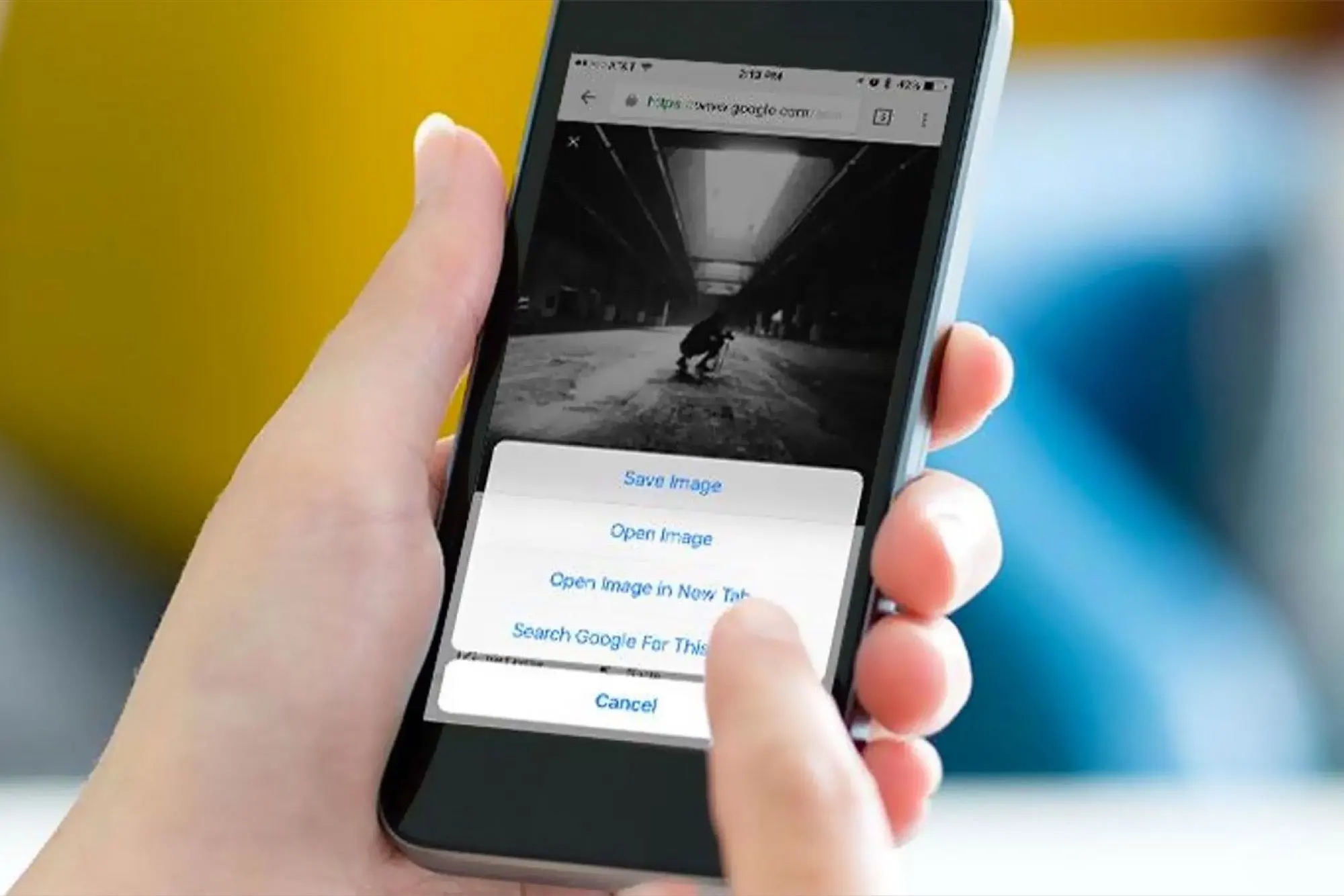
How to Search Using a Picture on Your Phone
Your smartphone makes visual searching convenient because your photographs are already available in your gallery. You can search using saved pictures, screenshots, or new photographs.
On many Android devices, Google Lens is available through supported Google apps and Google Photos. Open the relevant app, select your picture, and tap the Lens option when available. The tool will analyze your image and display possible matches.
On an iPhone, you can use Google Lens through supported Google apps or visit a compatible visual search website. Select the image you want to examine and follow the instructions. The exact process may vary depending on your app version and device.
For better results, choose a clear photograph with the main object visible. If you want to identify a product, include its logo or distinctive design whenever possible. These simple steps can make mobile image searching more effective.
How to Find Similar Images Online
Sometimes you want pictures with a similar style rather than the exact original photograph. Reverse image search can help you discover those options.
Imagine planning a bedroom makeover. You find a picture of a modern room and want similar decorating ideas. A visual search tool might display matching furniture, color combinations, lighting designs, and room layouts. Fashion enthusiasts can also discover related clothing styles by searching with photographs.
When you upload picture to search for similar images, remember that visual similarity can mean different things. Some results may share colors and shapes without showing the same object. Others might contain an exact copy of the original photograph.
Try cropping your image to focus on the subject you want to explore. If you need similar shoes, crop the shoes rather than the entire outfit. If you want decorating ideas, include the furniture and room arrangement. This approach helps the search tool focus on useful details.
How to Identify Products with Image Search
Visual search is helpful when you find a product without knowing its name. You might see a lamp in a video, a jacket in a photograph, or a kitchen tool at someone’s home. Instead of guessing its description, you can search using its image.
Upload a clear photograph and review the results for matching designs, brand names, and shopping pages. Compare any suggested product with the original picture. Check its color, dimensions, model number, and manufacturer when available.
Two products may look almost identical but have different features or prices. Read customer reviews and check return policies before purchasing anything. Image search may also help you discover affordable alternatives to expensive products.
However, a similar-looking product may have different materials or quality. Treat visual search results as a starting point rather than a final recommendation. Confirm the product details before spending your money.
How to Find the Original Source of a Picture
Finding an image’s original source can help with research, blogging, and fact-checking. You might want to know who published a photograph or where it first appeared online.
Reverse image search tools, including TinEye, can help locate matching versions of an image. Results may show websites containing the photograph and different versions of the file. Some services also provide information about image sizes and indexed dates.
However, the oldest result you find is not always the original source. Websites may copy images, remove credits, or publish photographs long after their creation. Compare publication dates and look for information from the photographer or original publisher.
If you want to use an image on your blog, check its copyright and licensing terms. Finding a photograph online does not automatically give you permission to publish it. Choose images with suitable reuse permissions or contact the copyright holder when necessary.
Privacy and Safety Tips for Image Search
Image search tools can be useful, but privacy deserves attention. A photograph may contain sensitive details, such as an address on a package, a school badge, or private information visible on a screen.
Before uploading an image, inspect it for personal details. Avoid submitting private documents or sensitive photographs to unfamiliar websites. Choose reputable services and review their privacy policies if you have concerns about image storage or processing.
Be careful when searching for pictures of other people. A visual match does not prove someone’s identity. Similar-looking people can be confused, and automated recognition systems can make mistakes.
You should also avoid suspicious websites found through image search. Never share financial information simply because a webpage displays a matching photograph. A careful approach allows you to explore images while protecting your personal information.
Common Image Search Problems and Solutions
Sometimes an image search produces no useful results. This does not always mean the tool is broken. Your picture might be new, uncommon, heavily edited, or missing from the search engine’s index.
First, choose a higher-quality image if possible. Blurry or very small photographs often provide fewer useful details. Second, crop the image to focus on the main object. Third, try another search engine because each service uses different resources and recognition methods.
You can also combine image searching with a short text description. For example, search for a chair and add words describing its material or style. This may help narrow the results.
If your image contains text, use an optical character recognition tool to extract the words. If you want to identify a location, examine signs and visible landmarks. Combining several methods often produces better results than repeating the same search.
Benefits of Using Reverse Image Search
Reverse image search saves time when you cannot describe something accurately. You can begin with a photograph, screenshot, or saved image instead of guessing the right keywords.
Students can explore unfamiliar objects and discover related learning resources. Bloggers can investigate image sources and find visual references. Shoppers can compare products and discover similar designs. Travelers can use photographs to learn more about landmarks and destinations.
Creative users can find inspiration for fashion, home decoration, and artwork. Businesses may use visual search to research product designs or check where their images appear online. The benefits depend on the tool and your specific goal.
However, visual search should support your judgment rather than replace it. Verify important information with reliable sources. Check product details before buying and confirm image permissions before publishing. Automated identification is helpful, but it does not guarantee that every result is correct.
Tips for Getting Better Search Results
A few simple habits can improve your experience with visual search tools. Start with the clearest image available. Make sure the main object is large enough to recognize and is not hidden behind other objects.
Crop away unrelated details when you have a specific goal. Focus on a logo when researching a brand or a building when identifying a landmark. If your photograph contains several objects, search for them separately.
Try different search engines when accuracy matters. Compare the results instead of relying on one suggestion. You can also add a text description containing a product category, color, or other useful detail.
If you want to upload picture to search successfully, focus on clear images and specific details. Open relevant webpages and compare their information with your original image. These steps make it easier to separate accurate matches from unrelated suggestions.
Conclusion
Learning how to upload picture to search can make everyday internet tasks easier. You can identify products, discover similar photographs, explore unfamiliar places, and investigate image sources. Tools such as Google Lens, Bing Visual Search, and TinEye offer useful ways to explore pictures online.
For the best results, use clear images, focus on important details, and compare several results. Remember that a visual match does not always prove an exact identity or original source. Check important information before buying products or publishing photographs.
Choose a trusted tool and try searching with a picture you want to understand. With a little practice, you can turn an ordinary photograph into a useful starting point for online discovery.
Frequently Asked Questions (FAQs)
1. What is the easiest way to upload picture to search?
Google Lens is a convenient option for many users. Open a supported Google app or website, select the image search feature, and choose your picture. Review the results for matching images, products, and related webpages.
2. Can I search the internet using a picture on my phone?
Yes. Android and iPhone users can search with pictures through supported apps and browser-based tools. Select an image from your gallery and follow the instructions provided by the service.
3. Is reverse image search free?
Several popular image search tools offer free features. However, availability and limits can vary by service, region, and device. Check the current terms before using paid features.
4. Can image search identify a product?
Yes. Some tools can recognize products and display similar items or shopping pages. Compare product specifications, brand information, and seller details before making a purchase.
5. Can I find where a picture originally came from?
Sometimes. Reverse image search may locate matching copies and websites containing a photograph. However, it cannot always prove which website published the image first. Check dates, credits, and publisher information.
6. Is it safe to upload personal photos to image search tools?
Safety depends on the service and the photograph. Avoid uploading sensitive documents or private images to unfamiliar platforms. Review privacy policies, remove personal details when possible, and use trusted services for ordina